> For the complete documentation index, see [llms.txt](https://docs.alphageo.ai/llms.txt). Markdown versions of documentation pages are available by appending `.md` to page URLs; this page is available as [Markdown](https://docs.alphageo.ai/for-developers/alphageo-data-api.md).
# Data APIs
## Overview
The AlphaGeo API suite provides powerful tools for programmatically accessing climate risk scoring data for global locations and assets uploaded to the AlphaGeo platform. With these APIs, you can seamlessly integrate climate risk information into your applications, enabling data-driven decision-making and risk assessment.\
\
We categorize our API offerings into two primary suites: Location-Level Data APIs and Portfolio APIs. This structure enables you to either query climate risk data for individual assets and locations dynamically or access aggregated insights across entire asset portfolios uploaded to the AlphaGeo platform.
The Location-Level Data APIs are further structured into four services: Scores, Physical Risk, Resilience Data, and Financial Impact Analytics. Each service provides distinct capabilities tailored to address specific climate risk assessment needs.
#### Location-Level Data APIs
See the [data dictionary guide](/for-developers/data-dictionary.md) for field availability across the APIs and downloads. Response examples illustrate the schema; their numeric values and version placeholders are not live results.
## Access Tokens
To access AlphaGeo APIs, you need to obtain an access token. Access tokens are unique identifiers that grant you permission to use our services. Follow these steps to obtain and use your access token:
**Sign Up or Log In**
If you haven't already, [sign up for an AlphaGeo account](/getting-started/trial.md). If you already have an account, log in to the AlphaGeo dashboard. (You will need an [Enterprise Subscription](/partnerships-and-pricing/pricing-guide.md) to access this feature!)
#### Ensure you have adequate in-app permissions
You can easily check this in your account. Once logged in, navigate to the upper right-hand corner of the dashboard.
**Get Access Token**
Copy the token found upon clicking "API" in the upper-right section of your account. Treat this token as sensitive information and keep it secure.
**Use Access Token in Requests**
In your API requests, include the access token in the headers. Add an Authorization header with the value "\[your\_access\_token]". Replace "\[your\_access\_token]" with the actual access token you obtained.
$ curl -X GET \
  'https://app.alphageo.ai/api/public/v1/risk_data/?address=New+York&period=2050&scenario=SSP585&longitude=-74.0059&latitude=40.7128' \
  -H 'Authorization: YOUR_API_TOKEN'
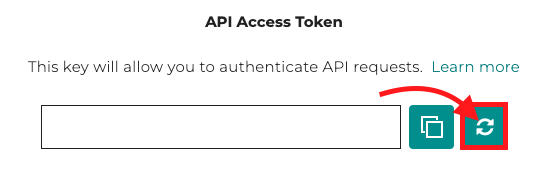
**Refresh Token (Optional)**
we recommend that clients routinely "refresh" their token as an added security measure.
## Rate Limits
Every interaction with AlphaGeo APIs is subject to rate limits, which restrict the number of requests allowed per endpoint. These limits are in place to ensure fair usage and maintain system performance. Here's what you need to know about rate limits:
**What Happens If You Exceed the Limit?**
If you exceed the rate limit, you'll receive an HTTP 429 Too Many Requests response from the API. This response indicates that your request cannot be processed immediately due to exceeding the allowed rate.
| API | Default requests per minute |
| ------------------------ | --------------------------- |
| Scores | 60 requests per minute |
| Physical Risk | 60 requests per minute |
| Resilience-adjusted Risk | 60 requests per minute |
| Analytics | 60 requests per minute |
| Portfolio Scores | 30 requests per minute |
| Institution Assets | 60 requests per minute |
**Need a Higher Limit?**
If your application requires a higher rate limit than the default – don't worry! Simply reach out to our dedicated [support team](mailto:support@alphageo.ai), and we'll be happy to assist you.
---
# Agent Instructions
This documentation is published with GitBook. GitBook is the documentation platform designed so that both humans and AI agents can read, navigate, and reason over technical content effectively. Learn more at gitbook.com.
## Querying This Documentation
If you need additional information that is not directly available in this page, you can query the documentation by asking a question.
Perform an HTTP GET request on the following URL with the `ask` and `goal` query parameters:
```
GET https://docs.alphageo.ai/for-developers/alphageo-data-api.md?ask=&goal=
```
`ask` is the immediate question: it should be specific, self-contained, and written in natural language.
`goal` is what the user is ultimately trying to achieve, the reason they need the answer. Sharing it helps GitBook give you a better, more relevant answer. A goal is most helpful when it describes the outcome the user wants rather than restating the question. For example, with `ask=how do I create an API token`, a goal like `automate deployments from our CI pipeline` lets GitBook tailor the answer to that use case.
The response will contain a direct answer to the question and relevant excerpts and sources from the documentation.
Use this mechanism when the answer is not explicitly present in the current page, you need clarification or additional context, or you want to retrieve related documentation sections.